

Description
Launch professional, WordPress-native popups for offers, announcements and email signups without a hosted SaaS account or visitor limits.
INSTANT POPUP BUILDER
- Simple, Easy & Fast Popup Builder Solution for WordPress
Instant Popup Builder helps WordPress site owners create and publish focused popup campaigns without leaving the WordPress dashboard.
Create text, image, HTML and subscription popups using familiar WordPress editing tools and straightforward design controls. Choose when a popup opens, where it appears, who sees it and how often it is displayed.
The free plugin is designed for practical campaigns such as:
- Newsletter and email signups
- Promotional offers and calls to action
- Important notices and announcements
- Image banners and product promotions
- Custom HTML content
- Click-triggered messages
Your popup, subscriber and analytics data stays on your WordPress site. There are no monthly visitor limits or external SaaS accounts required for the core plugin.
Built for quick campaign launches
Instant Popup Builder is a good fit for small businesses, bloggers, creators, marketers and WordPress professionals who want to publish a popup without building a complicated marketing stack.
The workflow is simple:
- Choose a popup type.
- Add your content.
- Configure the trigger and display rules.
- Adjust the design and behavior.
- Preview and publish.
Free popup types
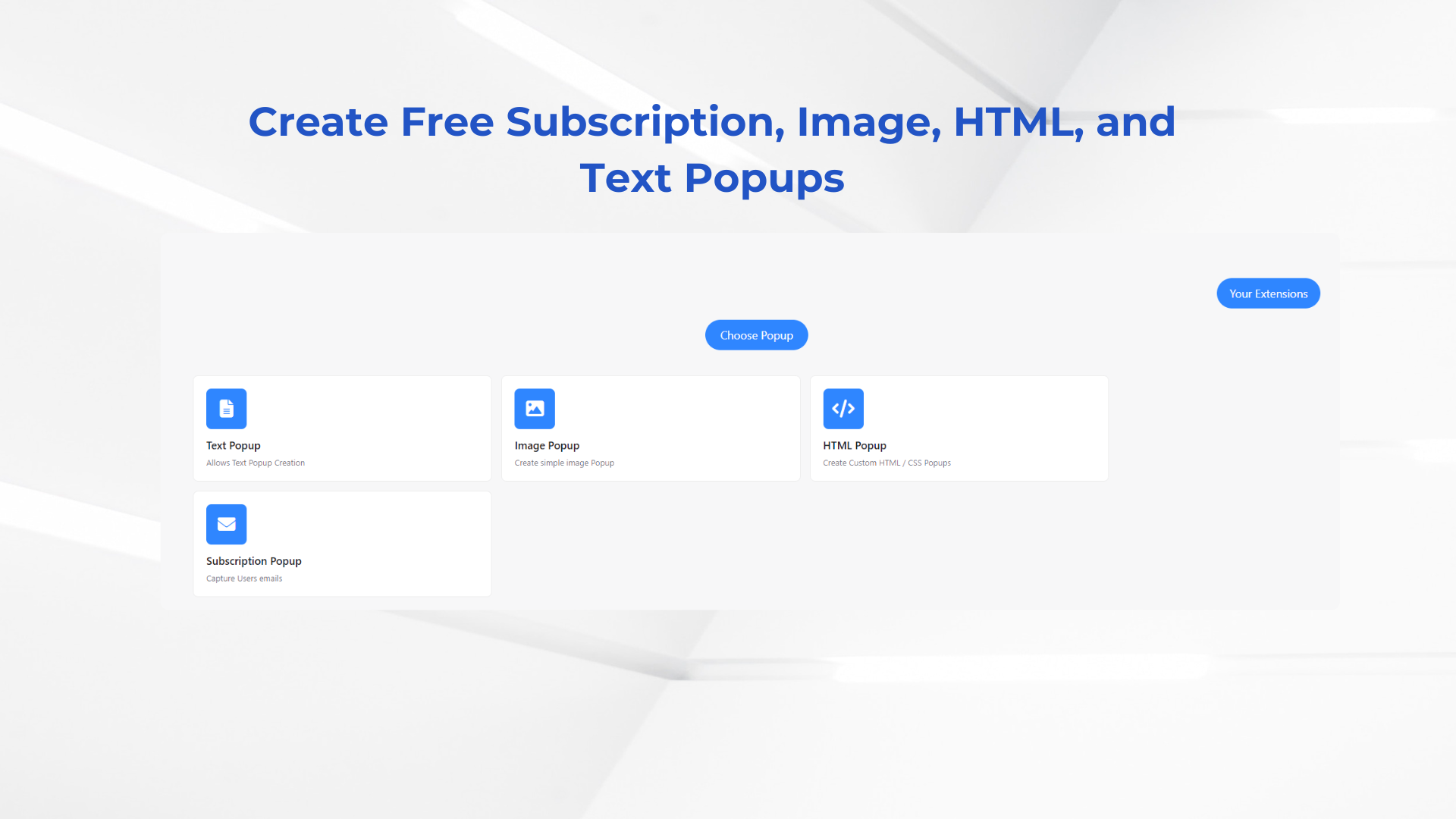
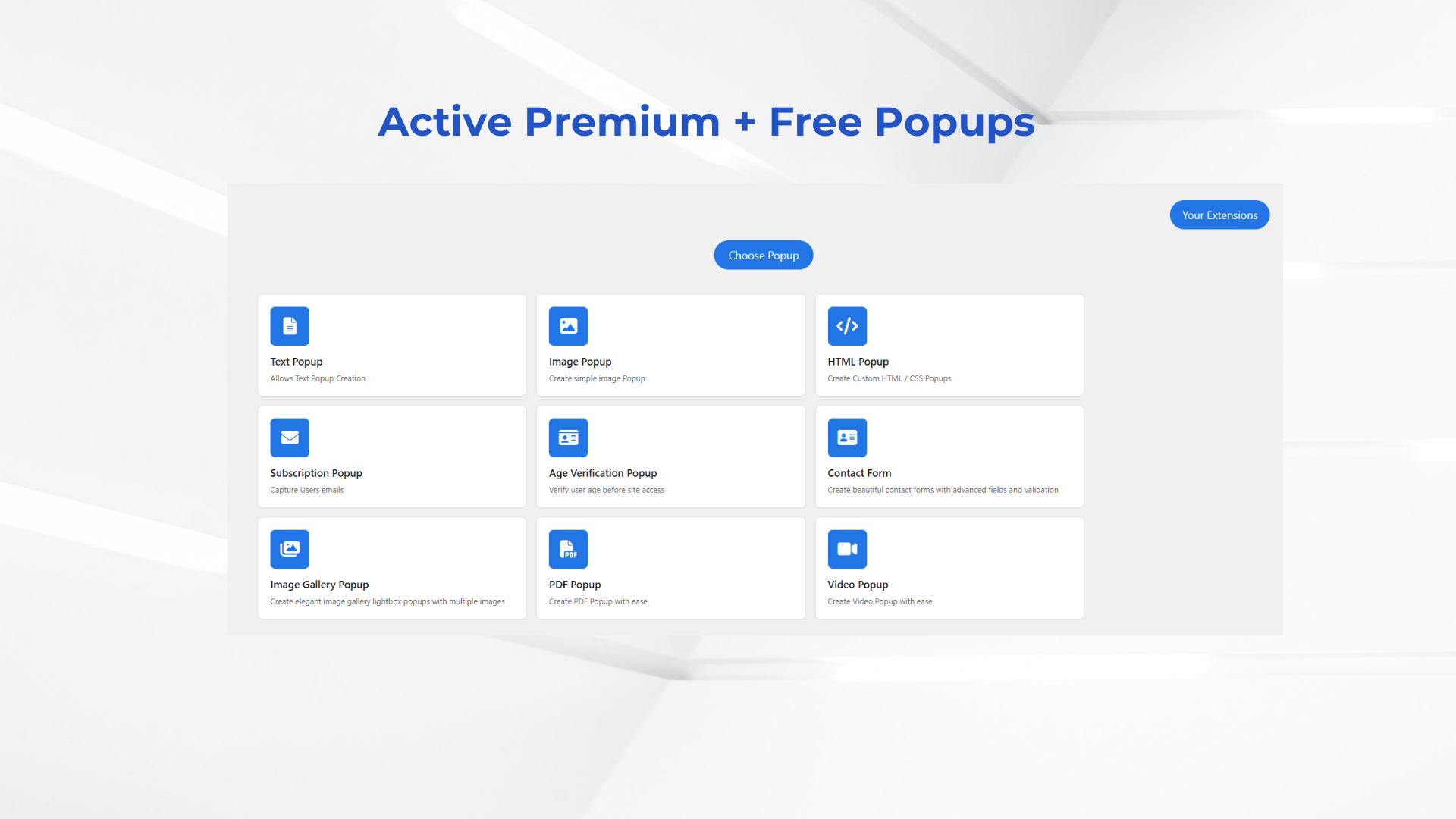
- Text Popup – Publish formatted messages, offers, notices and calls to action using the WordPress editor.
- Image Popup – Display a promotional image or banner selected from the WordPress Media Library.
- HTML Popup – Add custom HTML content when you need more control.
- Subscription Popup – Collect email subscribers with a built-in newsletter signup form.
Core features included free
- Unlimited Popups – Create as many popup campaigns as your site needs.
- WordPress-native Editing – Use familiar WordPress content and media tools.
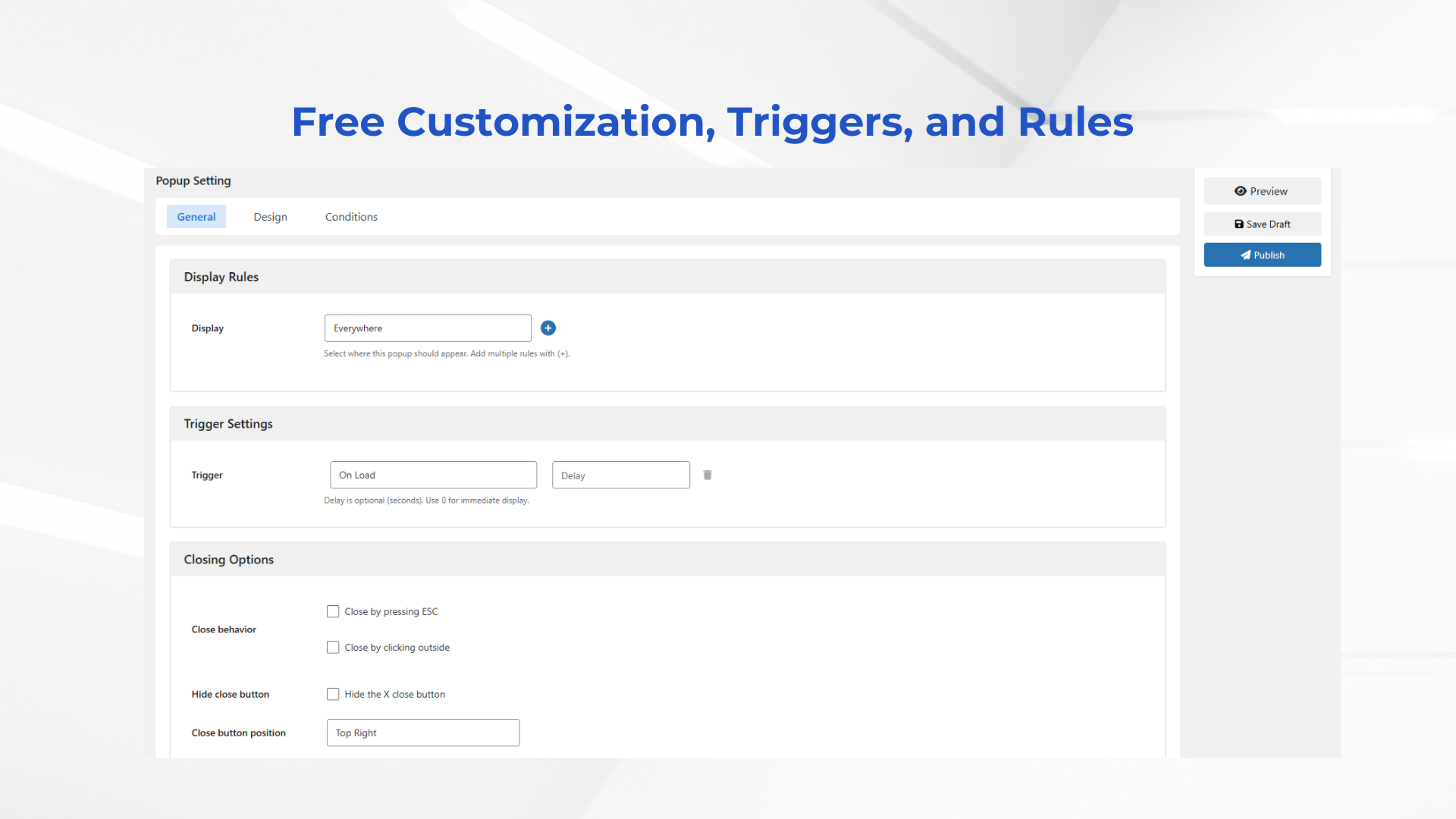
- On-load Trigger – Open a popup automatically, with an optional delay.
- Click Trigger – Open a popup when a visitor clicks a matching element.
- Hover Trigger – Display a popup when a visitor hovers over a matching element.
- Display Rules – Show or hide popups on selected pages, posts, categories and other supported locations.
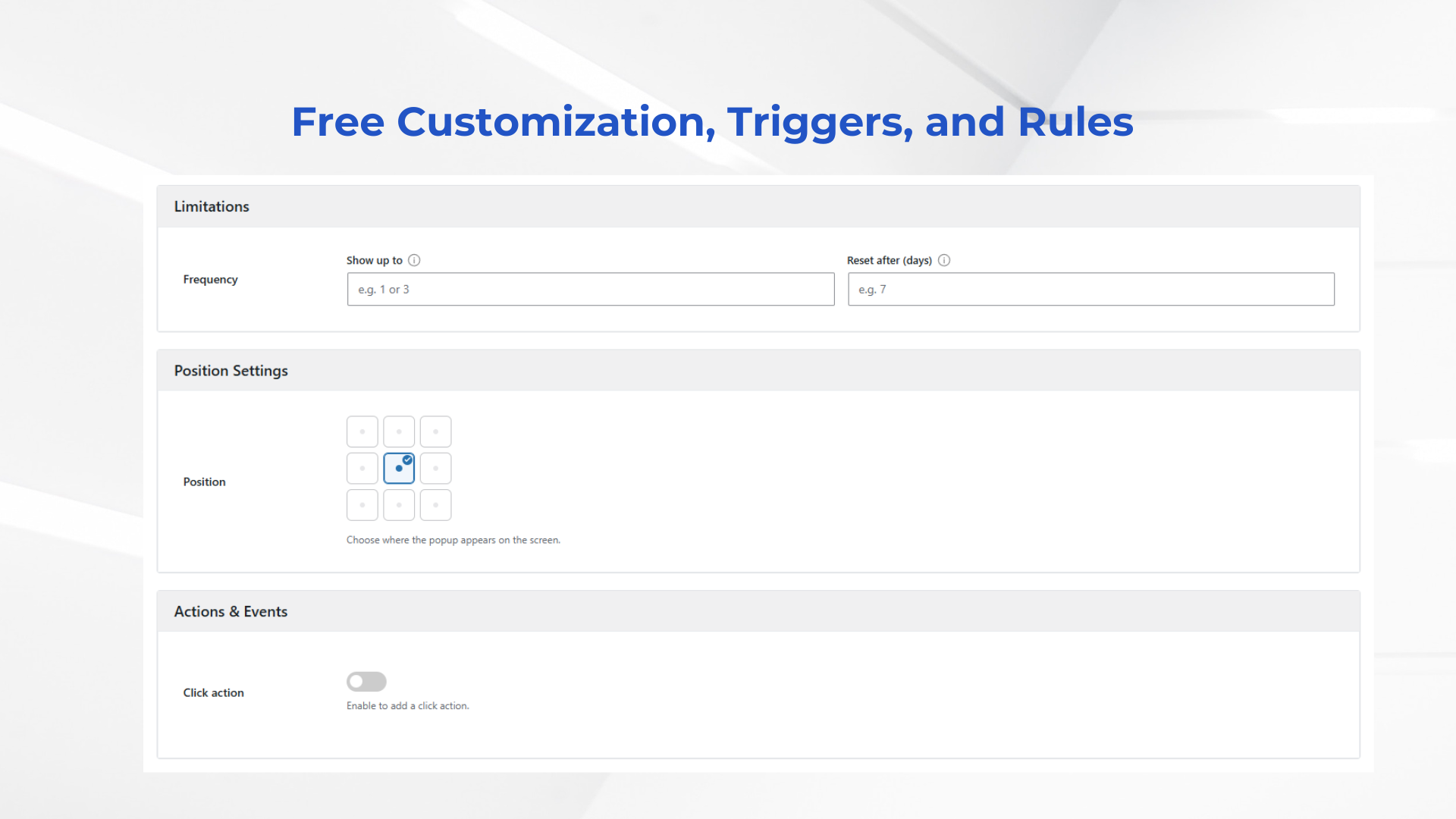
- Frequency Controls – Limit repeat displays to reduce popup fatigue.
- Nine Popup Positions – Place a popup in the center, along an edge or in a corner.
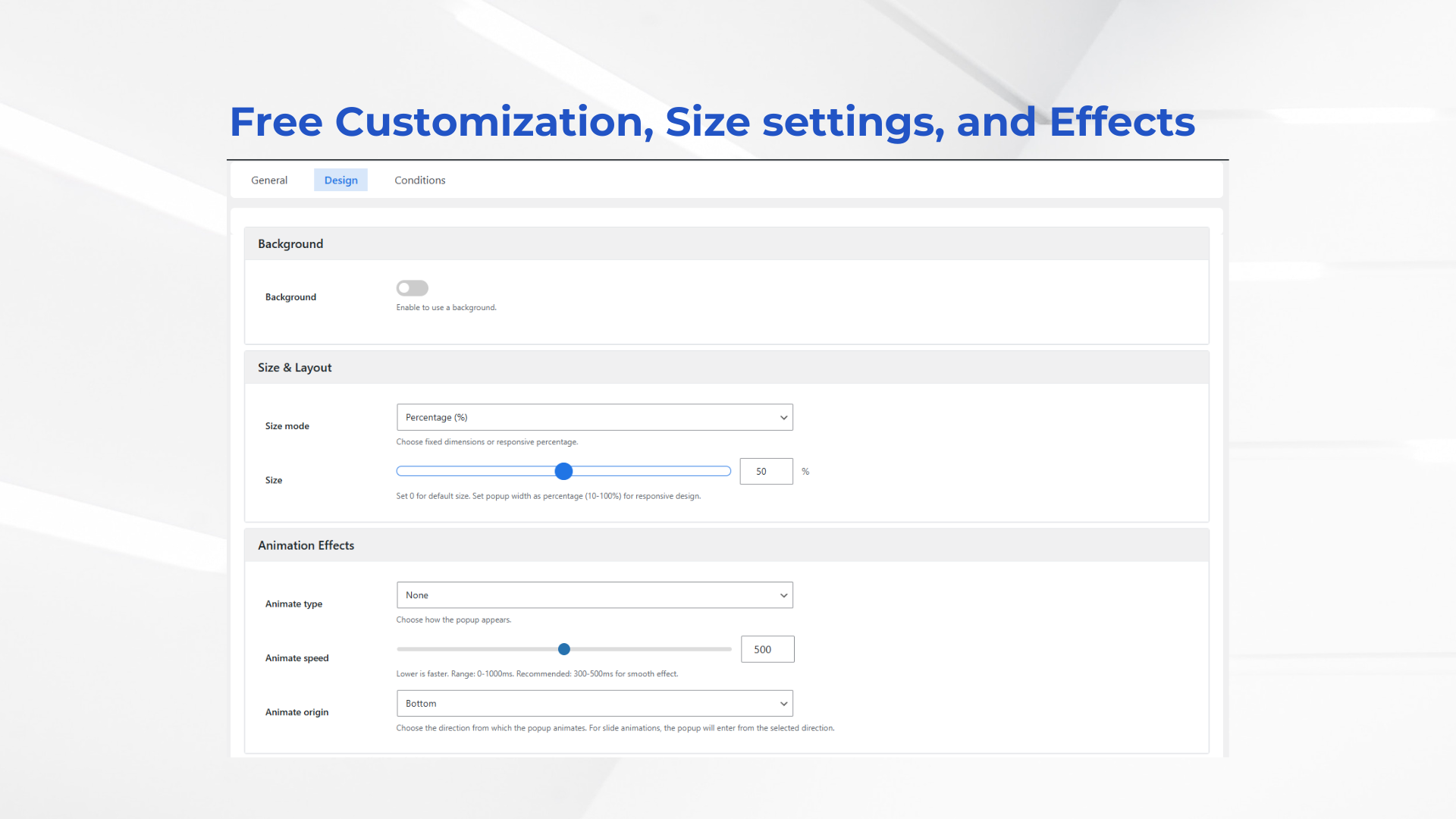
- Responsive Sizing – Use percentage-based sizing or fixed width with content-aware text popup height.
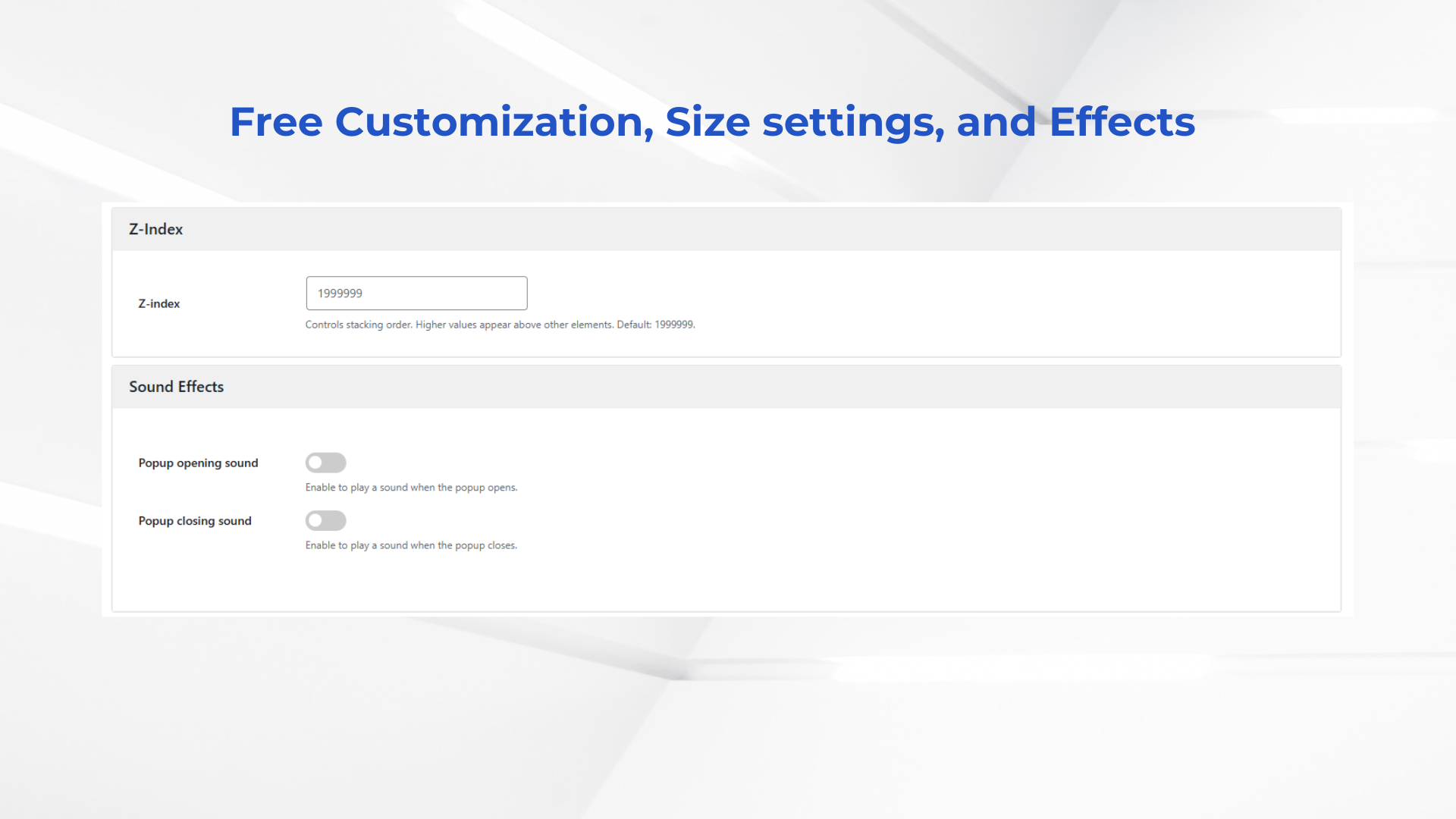
- Design Controls – Configure spacing, typography, background, border, opacity and animation settings.
- Flexible Closing – Support close controls, the Escape key and outside-click behavior.
- Popup Actions – Redirect visitors or open another popup after interaction.
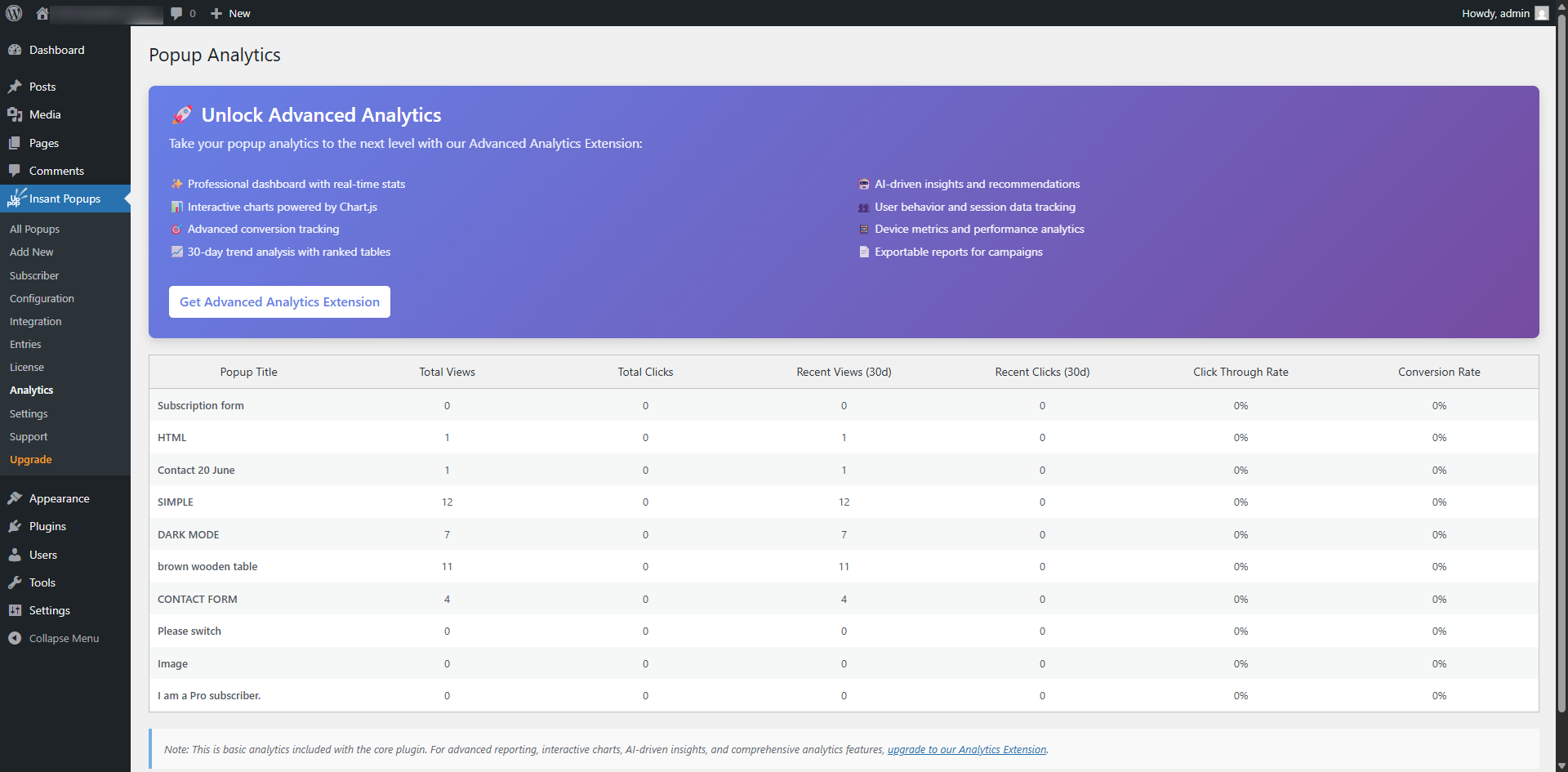
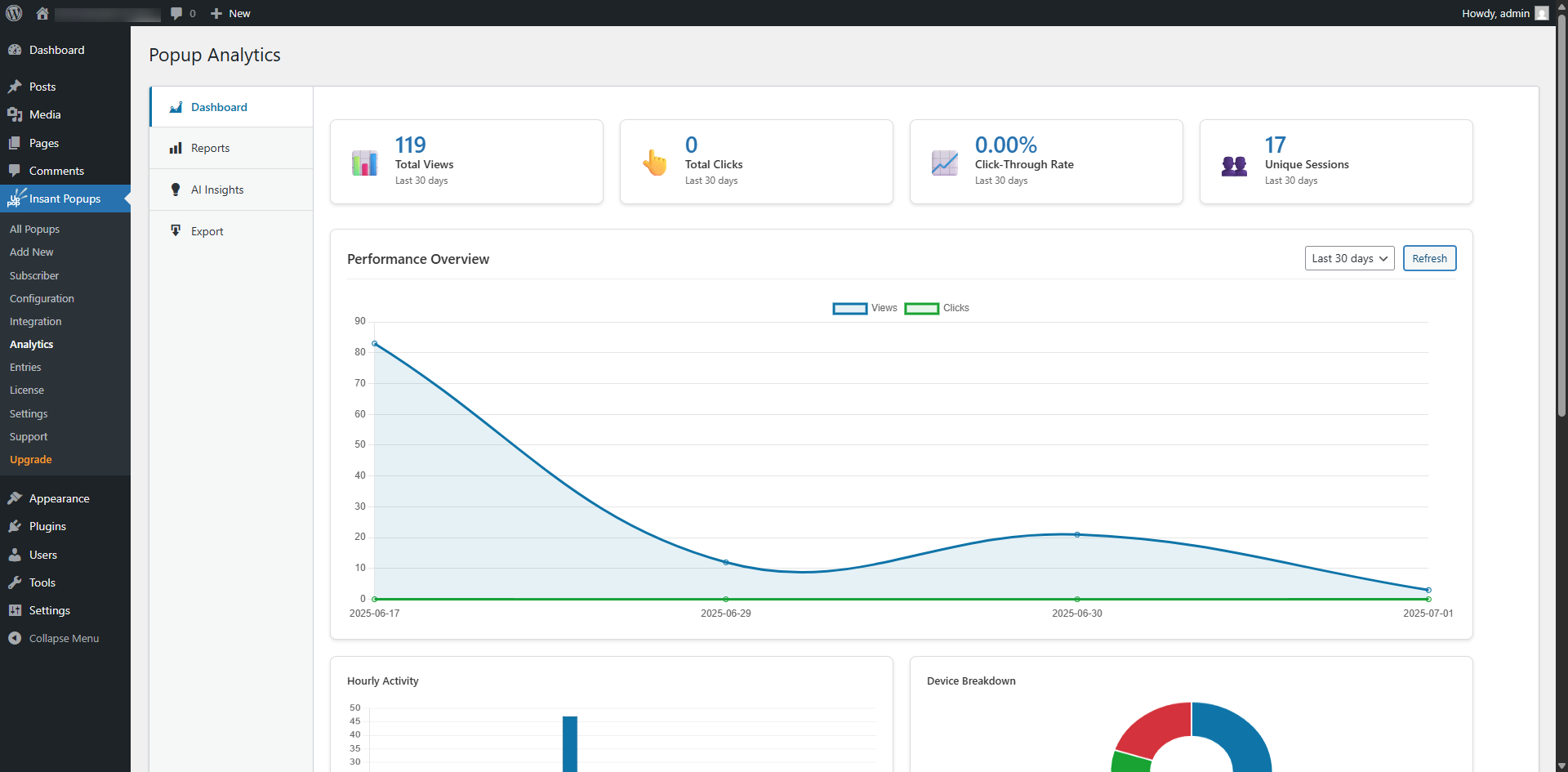
- Built-in Analytics – Track popup views, clicks and supported conversions.
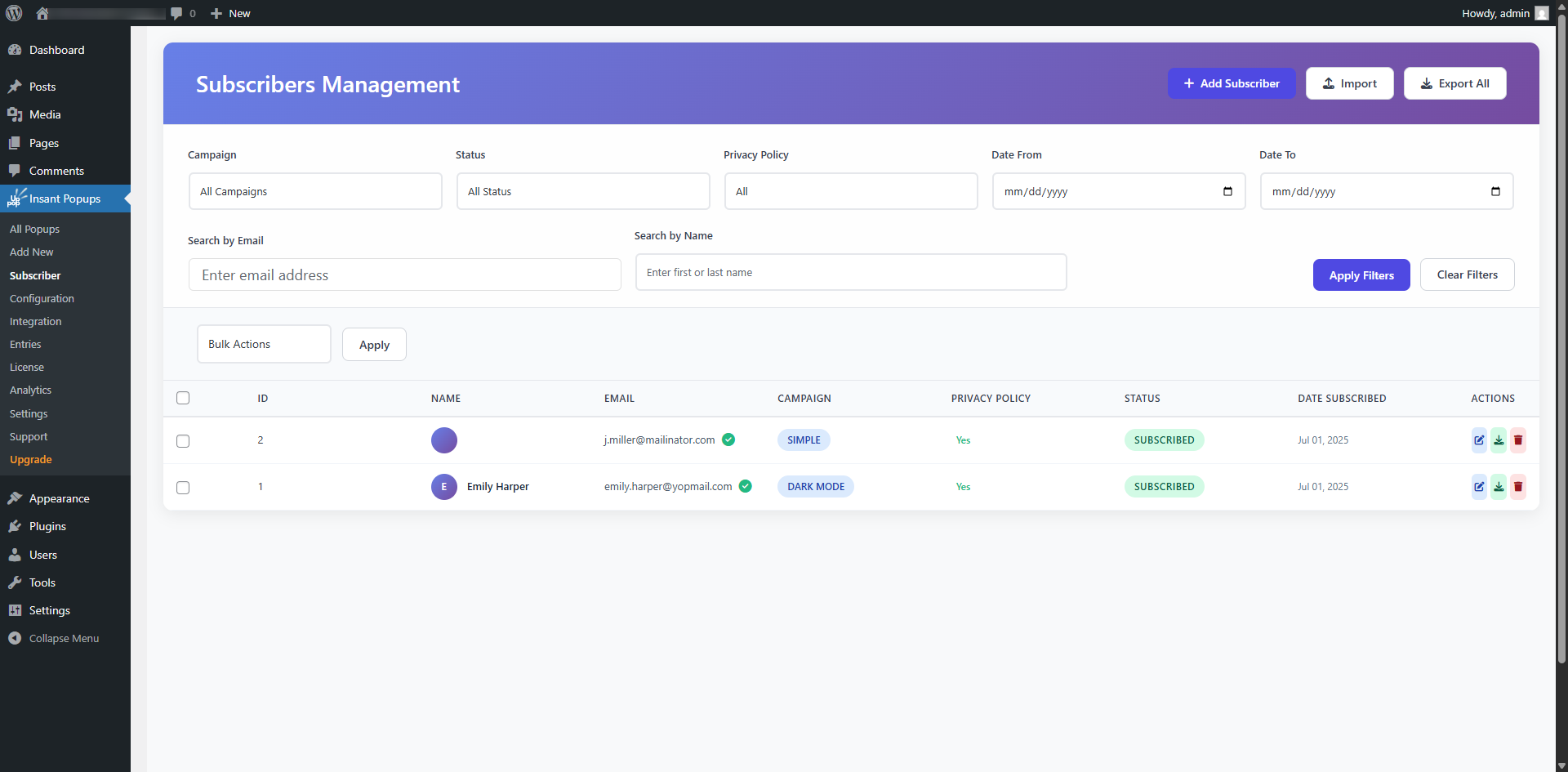
- Subscriber Management – Store, manage and export subscribers from WordPress.
- Email Verification and Unsubscribe Tools – Support subscription verification and unsubscribe workflows.
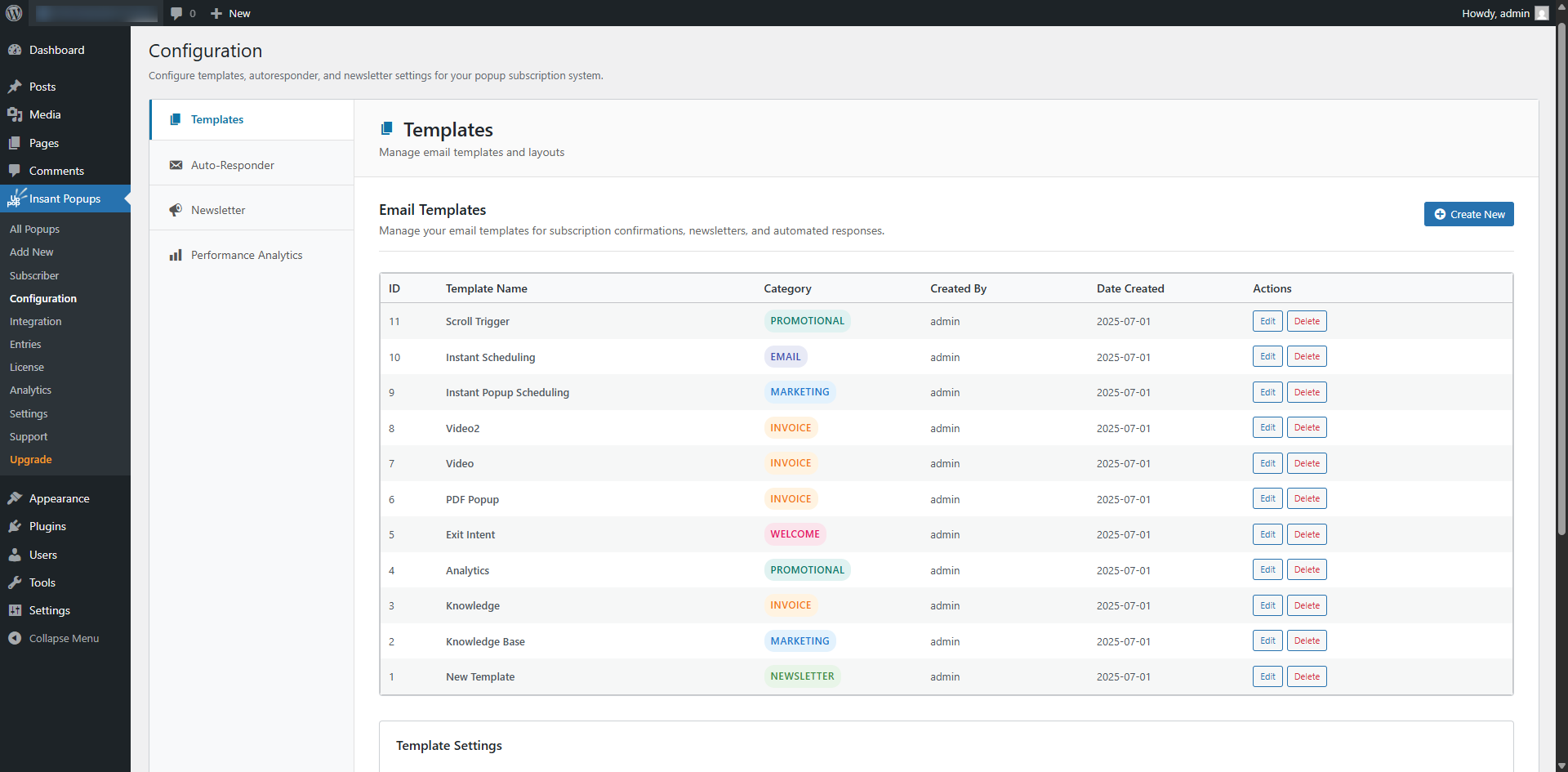
- Newsletter and Autoresponder Tools – Build local email campaigns from the WordPress dashboard.
- Preview Before Publishing – Review popup content across desktop, tablet and mobile preview sizes.
- No Visitor Limits – The core plugin does not charge based on site traffic.
Keep your data in WordPress
Instant Popup Builder stores core campaign information in your WordPress database. This is useful for site owners who prefer WordPress-native tools and do not want their popup campaigns tied to an external hosted service.
The plugin also includes configurable cleanup and deactivation options so administrators can decide how plugin data should be handled.
Email subscription campaigns
The core Subscription Popup can:
- Collect subscriber names and email addresses
- Store subscribers locally
- Record privacy acceptance
- Support email verification
- Provide unsubscribe tools
- Export subscriber data as CSV
- Send newsletters and autoresponder messages through WordPress
Email delivery depends on the WordPress mail configuration and hosting environment. For reliable delivery, a properly configured SMTP or transactional email service is recommended.
PREMIUM FEATURES:
(25+ powerful, flexible tools to boost user engagement)
Popup Types
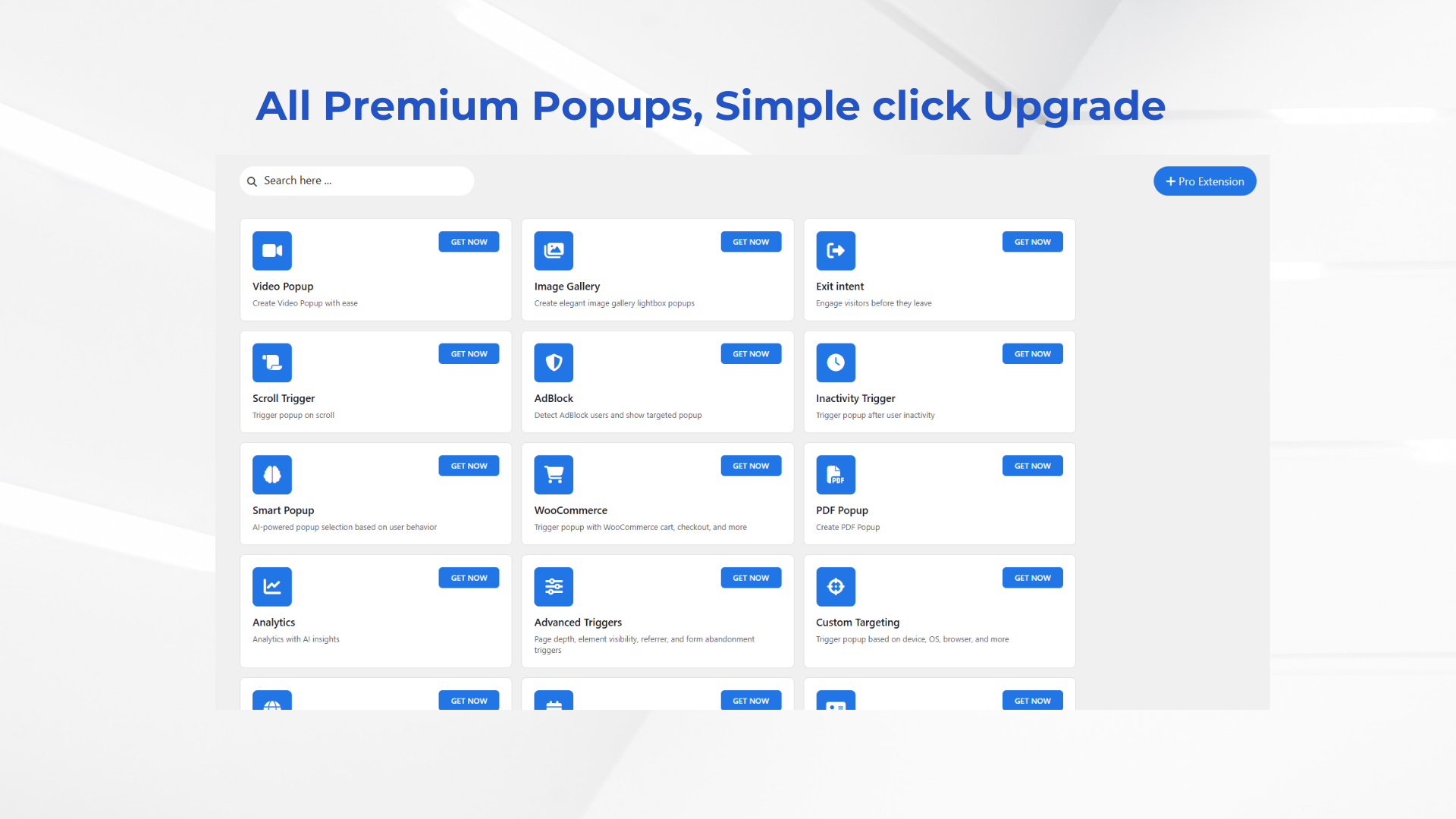
- Video Popup – Instantly create engaging video popups that support YouTube, Vimeo, SoundCloud, and self-hosted MP4 files. Deliver your content professionally and captivate visitors with ease.
- Subscription Pro – Effortlessly grow your audience with beautifully designed subscription popups. Choose from 10+ customizable templates to offer coupons, promotions, or newsletter signups for any occasion & Integrate with your favorite CRM or Marketing tool..
- Contact Form – Add contact form popups to your site with customizable fields, validation, and design options. Capture leads with elegant and functional forms.
- Announcement Bar – Display site-wide announcements with a sleek, responsive bar. Highlight promotions, updates, and CTAs without interrupting the user experience.
- Spin to Win – Gamify lead capture with a customizable spin wheel popup. Offer prizes/coupons to boost conversions and engagement.
- Social Share Popup – Encourage visitors to share your content with an elegant share popup. Automatically detects the current page URL and title for one‑click sharing across major platforms.
- Login Signup Popup – Add a modern login/signup popup for quick user authentication. Improve UX with inline forms and flexible triggers/targeting.
- Image Gallery – Showcase stunning image galleries in a lightbox-style popup. Enjoy smooth transitions, thumbnail navigation, and multi-image support.
- PDF Popup – Display PDFs directly in a popup. Great for brochures, menus, manuals, and more—no downloads required.
- Age Verification – Add age verification popups to your WordPress site with customizable verification methods, including checkbox, date of birth, and yes/no options. Fully compliant with legal requirements and GDPR.
- Subscribe to Download – Offer lead magnets and gated content. Collect emails before revealing download links to grow your list and deliver value.
- Countdown Timer – Add urgency with countdown timers in popups for limited-time offers, sales, and campaigns.
Triggers
- Exit Intent – Recover abandoning visitors with smart exit-intent popups. Display compelling offers just before users leave your site.
- Scroll Trigger – Trigger popups based on scroll behavior—such as reaching a certain percentage of the page, scrolling up, or returning to the top. Engage users at the right moment.
- Inactivity Trigger – Re-engage visitors by showing a popup after a period of user inactivity (idle time).
- Adblock Trigger – Detect ad blockers and display alternative messages, offers, or subscription prompts to recover engagement.
- WooCommerce – Seamlessly integrate with WooCommerce to show popups based on cart contents, product views, and more.
- Advanced Triggers – Add Page Depth, Element Visibility, URL/Referrer, Form Abandonment, and Returning Visitor triggers.
Conditions
- Device Targeting – Show the right message to the right user. Target by device, OS, or browser using the Advanced > Condition tab.
- Scheduling – Schedule popups to display at specific dates, times, or recurring intervals. Perfect for time-sensitive campaigns, available in the Schedule tab.
- Geo Targeting – Target visitors by country, state/province, city, or IP for hyper‑relevant campaigns.
- Language Targeting – Show popups based on your visitor’s browser/device language — independent of their physical location.
Tools
- Smart Popup – AI-powered Smart Popup extension for Instant Popup Builder with behavioral analytics, A/B testing, and intelligent popup selection based on user engagement.
- Analytics – Gain deep insights into popup performance with AI-driven analytics, detailed reports, and export features.
- Advanced Closing – Enhance closing controls with custom close icon, label, auto‑close + countdown, close on submit, and mobile swipe‑to‑close.
Bundles
Bundles combine premium extensions for multiple sites:
- Starter Bundle – Premium tools for up to 2 websites.
- Professional Bundle – Premium tools for up to 5 websites.
- Business Bundle – Premium tools for larger multi-site use.
Visit the pricing page for current plans, extension availability and license terms.
Quick links
Screenshots

Installation
From within WordPress
- Navigate to Plugins > Add New in your WordPress dashboard.
- In the search bar, type Instant Popup Builder and press Enter.
- Locate the Instant Popup Builder plugin in the search results and click Install Now.
- Once the installation is complete, click Activate to enable the plugin.
- After activation, go to the new Instant Popups menu in your dashboard.
- Click Add New to create your first pop-up.
Manually
- Upload the plugin files to the
/wp-content/plugins/directory or install via the WordPress Plugins menu. - Activate the plugin through the « Plugins » menu in WordPress.
- Configure your popups using the plugin settings in the WordPress admin panel.
FAQ
-
What can I create with the free plugin?
-
The free plugin supports Text, Image, HTML and Subscription popups. These can be used for notices, promotions, calls to action, custom content and email signup campaigns.
-
Is Instant Popup Builder a hosted SaaS service?
-
No. The core plugin runs inside WordPress and stores core campaign data on your site. Premium extensions may connect to external services when their functionality requires it.
-
Are popups or visitors limited in the free version?
-
The core plugin allows unlimited popup campaigns and does not impose monthly visitor limits.
-
Does it use a drag-and-drop page builder?
-
The core plugin uses familiar WordPress editors and structured design settings. It is not presented as a full visual page-builder canvas.
-
Which triggers are free?
-
The core plugin includes on-load, click and hover triggers. Exit intent, scroll behavior, inactivity detection and other behavioral triggers are provided through optional premium extensions.
-
Can I control where a popup appears?
-
Yes. Core display rules support selected WordPress locations such as pages, posts and supported taxonomy or site-wide conditions.
-
Can I control how often a popup appears?
-
Yes. Frequency settings help limit repeated displays and reduce popup fatigue.
-
Are the popups responsive?
-
Yes. Core popup layouts include responsive sizing and mobile-aware front-end behavior. Always use the desktop, tablet and mobile preview controls and test the live popup with your active theme before launching a campaign.
-
Can I collect email subscribers?
-
Yes. The free Subscription Popup stores subscriber data in WordPress and includes subscriber management, CSV export, privacy options, verification and unsubscribe workflows.
-
Yes. The core plugin includes local newsletter and autoresponder tools. Delivery depends on your hosting and WordPress mail configuration, so SMTP or a transactional email provider is recommended.
-
Does the free plugin include analytics?
-
Yes. Core analytics track basic popup views, clicks and supported conversions. Detailed reporting, segmentation, exports and AI-assisted insights are available through the Advanced Analytics extension.
-
Does it include exit-intent popups?
-
Exit Intent is an optional premium extension.
-
Does it include scroll-triggered popups?
-
Scroll Trigger is an optional premium extension.
-
Does it include an announcement bar?
-
Announcement Bar is an optional premium extension. Standard text popups can still be used for notices in the free plugin.
-
Does it support A/B testing?
-
A/B testing is available through the Smart Popup extension.
-
Can I schedule a popup?
-
Advanced date, time and recurring scheduling is available through the Scheduling extension.
-
Does it support WooCommerce campaigns?
-
Standard popups can be used on WordPress and WooCommerce pages through core display rules. Store-specific cart, checkout, product and purchase behavior requires the WooCommerce extension.
-
Does it integrate with email marketing and CRM services?
-
The core plugin can collect and manage subscribers locally. Expanded marketing-service and CRM integrations are available through applicable premium extensions. Check the relevant extension page for the current integration list.
-
Can I add custom HTML?
-
Yes. Use the HTML Popup type for custom markup. Test custom content carefully because theme styles, third-party scripts and caching tools may affect the final appearance.
-
Can I duplicate and preview popups?
-
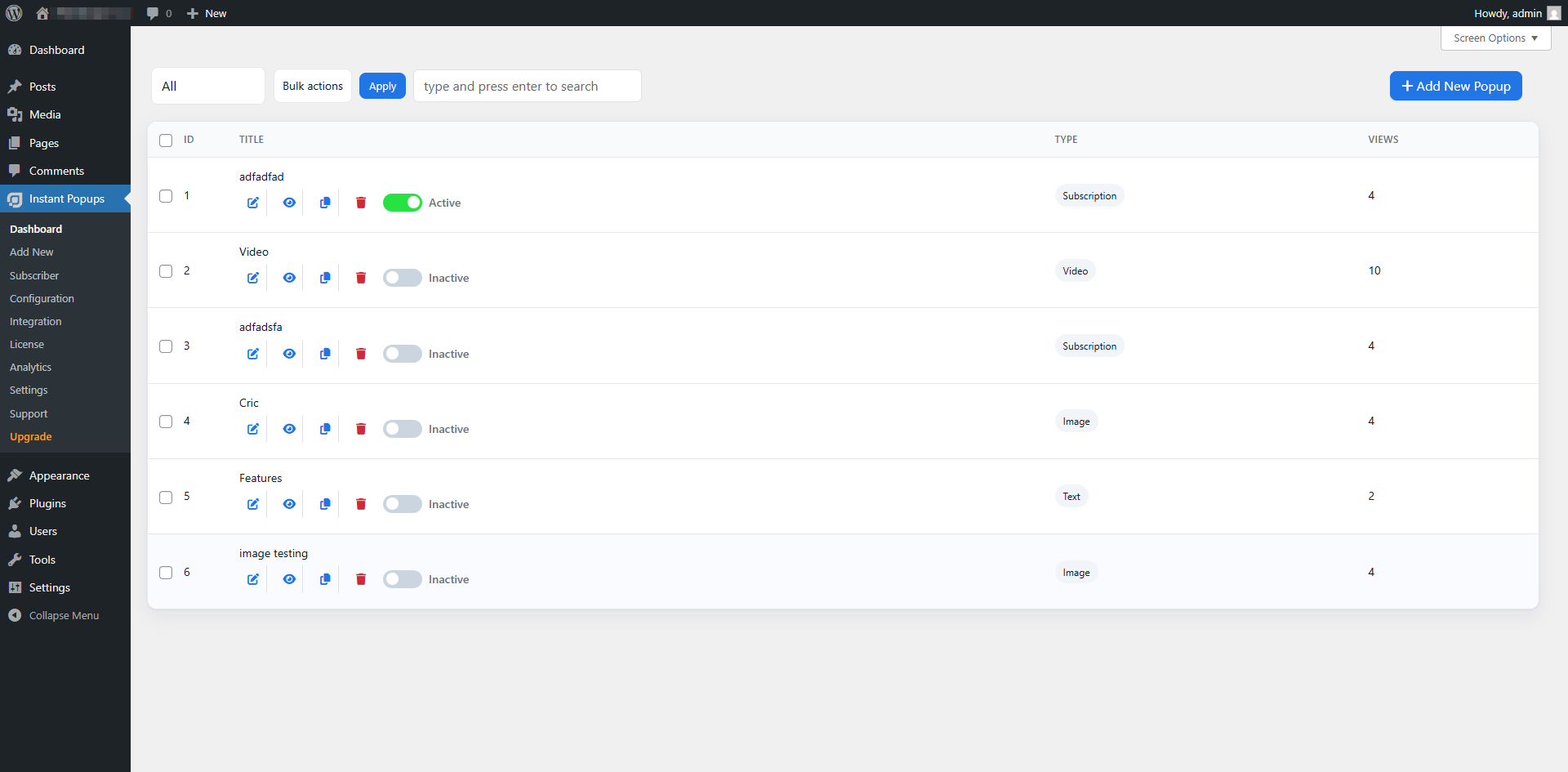
Yes. The popup dashboard supports common management tasks including previewing, duplicating, activating, deactivating and deleting popup campaigns.
-
What happens to my data when the plugin is deactivated?
-
By default, plugin data is preserved on deactivation. Administrators can configure cleanup behavior under the plugin settings. Review these options before deactivating or uninstalling the plugin.
-
Is support available?
-
Yes. Free users can use the WordPress.org support forum. Documentation and commercial support resources are also available from the Instant Popup Builder website.
Reviews


Contributors & Developers
“Instant Popup Builder – Popup Maker for Videos, Forms, Offers, Announcements, Galleries & More” is open source software. The following people have contributed to this plugin.
Contributors


Interested in development?
Browse the code, check out the SVN repository, or subscribe to the development log by RSS.
Changelog
2.0.1 – 2026-06-16
- Fix: Unified subscription popup settings saving through the core Publish/Update flow.
- Fix: Corrected text popup rendering.
- Fix: Moved subscriber export into core with nonce-protected CSV downloads.
- Improvement: Redesigned the Subscribers page with native WordPress styling.
- Improvement: Performance improvements, minor bug fixes and size reduction.
2.0.0
- Improved overall compatibility and stability.
- Added compatibility support for WordPress 7.0.
1.1.10
- Fixed closing settings synchronization across the core plugin and extensions.
- Fixed close-button visibility for extension popup types.
- Fixed popup actions and new-tab settings saving.
- Added optional popup border controls.
- Removed the z-index field from standard design settings.
- Added minor UI and stability improvements.
1.1.9
- Added WordPress Media Library support for popup background images.
- Fixed saved background images on the front end.
- Reduced false-positive debug logging.
- Added UI improvements.
1.1.8
- Improved verification and unsubscribe link security.
- Improved unsafe URL filtering.
- Improved safe loading for verification and unsubscribe pages.
1.1.7
- Added Zoom In and Reveal animation styles.
- Improved extension-dependent popup activation behavior.
- Refined the Settings screen using native WordPress patterns.
- Improved close-button accessibility.
- Enabled newly published popups by default.
- Improved publish and update notifications.
1.1.6
- Improved code consistency.
- Added performance optimizations.
1.1.5
- Fixed HTML popup content being converted to plain text.
- Added WordPress Media Library support for Image Popups.
- Replaced the Quill text editor with the WordPress TinyMCE editor.
1.1.4
- Improved file upload security and validation.
- Improved WordPress Coding Standards compliance.
- Reduced duplicate files and plugin size.
- Improved the Add New Popup interface.
- Improved conditional admin asset loading.
- Fixed PHP 8.1+ deprecation notices.
1.1.3
- Fixed subscription template image and close-button layout issues.
- Added conversion tracking for form submissions and action buttons.
- Improved PHP compatibility, SQL handling and JSON error handling.
- Improved HTML popup closing and responsive sizing.
1.1.2
- Fixed PHP 8.1+ deprecation warnings.
- Fixed WordPress translation loading timing.
- Added compatibility updates for newer WordPress versions.
1.1.1
- Added Text Popup customization settings.
- Added the Open Another Popup action.
- Improved Is and Is Not display-rule logic.
- Fixed selected page and post display values.
- Fixed analytics click tracking.
- Prevented duplicate output when multiple conditions match.
- Added security and standards improvements.
1.1.0
- Added Subscription Popup as a freemium popup type.
- Redesigned popup settings.
- Improved database performance and stability.
1.0.8
- Added Inactivity Trigger, Adblock, Geo Targeting and Advanced Closing extensions.
- Redesigned the All Popups screen.
- Improved pagination, badges, toggles and accessible actions.
- Consolidated settings categories.
1.0.7.2
- Reorganized Action and Sound settings.
- Improved performance and extension compatibility.
1.0.7.1
- Added Age Verification and Smart Popup extensions.
- Improved Text and Image Popup customization.
- Improved analytics, security and popup activation.
1.0.7
- Added extension support for PDF, Image Gallery, device targeting and scheduling.
- Added the modern front-end popup template.
- Added Support and Upgrade screens.
- Improved the admin interface, file structure and responsive behavior.
1.0.6
- Added the popup dashboard.
- Added popup editing, deletion, previewing, duplication and status controls.
- Added popup searching and filtering.
- Added the HTML editor and premium license interface.
1.0.5
- Added early premium popup and trigger extensions.
- Improved UI, popup limitations and front-end styling.
1.0.4
- Added performance and stability improvements.
1.0.3
- Added general maintenance and performance fixes.
1.0.2
- Added compatibility support for WordPress 6.7.
1.0.0
- Initial release.